Interactive Environments. Second Year. Trimester 2. Week 2. Makey Makey/ Squishy Circuits Experimentation and Circuit Research.

The photos that can be seen below showcase my attempt at creating a ‘Squishy Circuit’ during the second week of this module:

A ‘Squishy Circuit’ is comprised of a Battery, Two Crocodile Clips, Two Lumps of Play-Doh and a Little light bulb. The idea is to connect all these components together to make the lightbulb glow which can be seen above linked with the bulb connected to both clumps of Play-Doh wired to a battery.

This circuit was taught to showcase how specific materials (Play-Doh) can be used and manipulated into various appealing and creative outcomes as well demonstrate how to create Interactive Pieces in a cost effective fashion.

The thoughts I have after playing about with the Squishy Circuit is although it was interesting witnessing how a Squishy Circuit functions in real time it will not be something that I will factor into the final brainstorm for the piece I’ll make due to the limited uses and presentations the Squishy Circuit Offers.

The next array of photos that can be seen below expand upon the two uses of the ‘Makey Makey’ Circuits;


A Makey Makey Circuit can be used a substitute key board or game controller using the assets of the circuit itself, two or more crocodile clips (clips provide more controls to move objects within computer) and a lead connecting the circuit to a nearby computer or mac.

Photos of myself experimenting with the circuit in question can be seen above with a couple of photos showcasing my hand touching a graphite drawing connected to the crocodile clips and circuit with the light on the circuit turning on once I place a finger on the graphite drawing (touch sensitive) which also turns off once I remove my hand.

This was taught in the class to showcase how easy it is to construct control panel as well as a touch sensitive piece utilising the ‘Makey Makey Circuit’. Unlike the ‘Squishy Circuit’ that can be seen on this blog, I’ll seriously consider incorporating this Circuit as part of the idea mind map I will create for this module in the coming weeks.

The Word Document that can be seen below expands on the research of other interesting ‘Squishy Circuits’ and ‘Makey Makey’ Circuit pieces:

‘Squishy’ and ‘Makey Makey Circuit’ Research. Interactive Environments.

One idea that occurred to me after interacting with a ‘Makey Makey Circuit’ during Week 2 is the idea of utilising the ‘touch sensitive’ aspect of the circuit and incorporate it into a creative art piece in the form of window looking out in the countryside.

There will be two ‘touch sensitive’ hand prints on the left and right side of the of the mock window. When these sensors are touched a digital animation, video footage or photography will appear within the window; when the hands are not touching the sensors the digital display immediately turns with the viewer interacting with piece no longer interacting with the piece

Graphic Design for the Web. Second Year. Trimester 2. Week 2. Sketchbook Pages and Final Idea Story (500 words).

Sketchbook Pages below (Notes taken in the Session  taught in Week 2):


Further Sketchbook Pages showcasing planning for ‘Final Story Idea (500 Words)’ and further development on the chosen idea that will incorporated in the final piece for this module:

010203


The link to the Word Document containing the ‘Final Idea Story’ (500 Words) can be seen below:

Final Story Idea (500 Words). Graphic Design for the Web.

Harvard References to research addressed in Sketchbook Pages can be seen below;

HobbyLark, 2019. How to Create a Monologue  (Easy and Simple)| HoppyLark. [online] Available at: <https://hobbylark.com/performing-arts/How-To-Create-A-Monologue-Easy-And-Simple&gt; [Accessed 28 January 2020].

Anne Neugebauer, 2014. What Is Speculative Fiction?| Anne Neugebauer. [online] Available at: <https://annieneugebauer.com/2014/03/24/what-is-speculative-fiction/&gt; [Accessed 28 January 2020].

JGB Service, 2020. Maze Generator. [online] Available at:  <http://www.mazegenerator.net/&gt; [Accessed 28 January 2020].

Interactive Environments. Second Year. Trimester 2. Week 1. BBC Micro:bit Experimentation and Research into BBC Micro:bit’s multiple uses in contemporary Digital Media.

The photos that can be seen below demonstrate the experimentation in creating a Soil Censor using ‘BBC Microbit’. The ‘Soil Sensor was used to see how much moisture there within a plant pot that was brought into the session during Week 1.

The initial thoughts I has while experimenting with BBC Microbit coding is how intrigued I was initially in how the sensors picked up (successfully) whether there is moisture or not in a plant pot that was handed into class on the day. The many different areas the BBC Micro bit can be incorporated was also really interesting especially after attending the Hack Day the day before the lesson where other activities were laid out on how the Microbit was used from controlling little lights and manipulating text on the Microbit itself which will be considered in the early planning stages for the Interactive piece I will create for this module.


A couple of examples of people creating interesting Interactive Applications using the coding system of BBC Micro:bit can be seen below in the Word Document with added Harvard Referencing:

Research in BBC Micro-bit (Application in Interactive Pieces) Interactive Environments

Image of Lego Micro:Bit Train (with Harvard Referencing) and Screenshots of ‘Basic Coin Game’ on YouTube Video (Link in Word Document above);

03

Micro:bit Educational Foundation, 2017. Lego ® Power Functions IR Sender For Micro:bit – micro:bit Projects. [image online] Available at: <https://microbit.hackster.io/philipp-henkel/lego-power-functions-ir-sender-for-micro-bit-aecc10&gt; [Accessed 24 January 2020].

Screenshots of YouTube Video:

01a

02

Graphic Design for the Web. Second Year. Trimester 2. Week 1. Questionnaire Word Document, Sketchbook Pages (Ideas Mindmap) and Maze/Labyrinth Research.

The First Word Document that is attached to this blog post is the ‘Starting a Brief Questionnaire’ which was required to be filled in before the module starts:

‘starting a brief questionnaire (1)’ Graphic Design for the Web


The Second Word Document that can  be seen below this sentence expands upon the research into the topic of ‘Mazes and Labyrinths’ which influence the ideas I’ll produce for this module with added Harvard Referencing:

Labyrinths and Mazes Research (Graphic Design for the Web).

The Sketchbook Page that can be seen below showcases the mind map of ideas I produced to start the early development for the final Visual Story, Interactive Application or Game I construct/produce for this module. I highlighted the ideas in different colours so they can be easily differentiated:

01

Interactive Narratives. Week 12. Emails and Final Post-Production on Edited clips with Music final FX Format. Second Year. Trimester 1.

Emails between myself and Adina;


Emails between myself and Tani;


Messages between myself and Max;


Sketchbook Pages (Experimenting with FX of edited for Act 1 and 2);


Behind the Scenes Photos taken during the Location and Studio Shoots with added Screenshots (Location Photos taken by Adina Cojocaru);


Screenshots that can be seen below showcase the final edits on the interactive film Groundless;

Final Storyboard Layout Colour Coded to differentiate Home Page, Acts 1 and 2 etc:


Groundless Home Page with the use of a modified ‘Play Button’ to start the Interactive Film with the Font ‘Crimson Text’ at size ‘112’. The font and size was chosen to mick the original titles font in capital letters as possible. The Font ‘Crimson Text’ and the ‘Play Button’ is used throughout the film during the options scenes.


Four Screenshots below highlight the Options Sequences found within the Interactive Film ‘Groundless’. The ‘Play Buttons’ light up when the mouse hovers over the arrow symbol to transition the scene to the players preferred choice of narrative direction:

Screen Shot 2019-12-13 at 15.01.05Screen Shot 2019-12-13 at 15.01.35Screen Shot 2019-12-13 at 15.00.34Screen Shot 2019-12-13 at 15.02.21


  • The Final Interactive Film ‘GROUNDLESS’ lasts for about ‘7 Minutes and 2 seconds (07:02:10)’ after compiling footage on Premier Pro for both Acts 1 and 2.

Final Screenshot below depicts the methods used to make the scenes flow from one sequence to another as well as make the ‘Play Button’ function when selected so the sequence morphs into the appropriate ‘option’ the ‘play button’ represents:

Screen Shot 2019-12-13 at 15.18.06.png

To make a scene flow from one sequence to another the button ‘Arrow’ button present in the ‘Buttons’ section on the right hand side of the Klynt Programme, once said button is selected go to the ‘Button Properties’ box on the right and select ‘Link’.

Then click on ‘Go To: ‘ section and select preferred sequence to follow after current sequence. Finally tick off ‘Automatic Transition’  so the ‘Arrow’ Button disappears and set the ‘Transition’ section to ‘Fade’. A little box should appear opposite the Footage (Green) selected prior he tweaks mentioned throughout.

This step by step can be applied to the ‘Options Buttons’ with the difference being the ‘Options’ themselves being selected and tweaked on the ‘Button Properties’ Box rather than the footage (green).

Final Thoughts on Interactive Narratives Module (Critical Evaluation);

The positives that I can draw from the final piece for the Interactive Narratives modules as well as my general thoughts overall is the how well and polished the final edited assets (MP4 Clips) were with the initial idea, in my opinion, being realised to its fullest which initially in the early stages of the module I thought I was not going to be able to get certain people in to contribute to the Interactive film as seen in the earlier blogs for Trimester 2.

The only negatives that I can bring up in hindsight after completing the final interactive film is the unpredictability and lack of available from people who are willing to contribute their skills to the film which proved difficult due to the filming schedules and the finalising of details only being completed halfway through the module.

At that time other courses within the university were preoccupied with their own work, if I didn’t create a ‘StarNow’ account or put up posters across the university I wouldn’t have been able to have gathered the team and resources needed for the film to be put together. I sincerely wish to thank all the people within and outside the university who helped bring this interactive film to life which I couldn’t have produced on my own.

Improvements that would be implemented if I was given the opportunity to create an Interactive Film again is to be more strict on completing the pre-production stages at a swift pace as well as put up callouts on the internet and physical posters within or outside the university so I have a better chance of refining the final film. I’ll try to retain collaborators on the film early in development as I was very, very lucky to have got a small crew together before shooting commenced on both Acts of the film.

Activities that would accompany the refining process mentioned in the previous paragraph is incorporating extra elements like a ‘timer’ to the option sequences, so the audience are encouraged to choose an option rather than take their time. More time would provide extra tweaks and features to the film on the Klynt program which has many facets that would make the film more interactive which was ultimately not used due to lack of time and the focus on completing the basics that were taught in earlier sessions during the module.

Interactive Narratives. Week 11. Emails and Final Post-Production on Interactive Film ‘Groundless’. Sketchbook Pages etc. Second Year. Trimester 1.

Screen Shot 2019-12-06 at 11.12.05Email Exchange between myself and Tani (Composer);


Email Exchange between myself and Adina (Performer);


A special dedication will be produced for the beginning of ‘Groundless’ dedicated  to my Mum Susan ‘Sue’ Forster who earlier in the year had passed very unexpectedly, themes of Grief and Loss are drawn from my own experiences during the past year and I’m glad I was able to complete the interactive film.

The screenshot below depicts the page in the sketchbook expanding on this special dedication.

I1


In Loving Memory

of

Susan ‘Sue’ Forster


‘I Love You To The Moon and Back.’

                                                             ‘Guess How Much I Love You’ by Sam McBratney

  • Make quote bigger than name of book and author.


The sketchbook pages and photos that can be seen after this sentence showcase further development in relation to the final presentation of the Interactive Film ‘Groundless’.


SL IRON LDR:


SL CROSS LDR:


SL CLEAN STRAIGHT LDR:


SL CLEAN KODAK C:


SL CLEAN KODAK B SOFT:


SL CLEAN FUJI A LDR:

66a


SL BIG LDR:


Kodak 5205 Fuji 3510 (by Adobe):


Kodak 5218 Kodak 2383:

Interactive Narratives. Week 10. Emails and Planning for Rehearsals and Shoots. Sketchbook Pages and Screenshots of Footage etc. Second Year. Trimester 1.

Max Conversation (WhatsApp) providing finishing touches to ‘Groundless’;

Emails between myself and Shirley;


Emails/Messages to Tani (Potential Composer);


Sketchbook Pages (Development of Film and Notes);

Updated Layout for Klynt Programme

Main Notes written when talking to Tani when she came to Cambridge on Friday 29th December 2019. 10 music suites will be made for the entirety of the film with the site ‘WeTransfer’ used to transfer MP4 clips and music between myself and Tani;


Emails between Myself and Tani;

Sketchbook pages created over time Week 9 and 10. Pre Planning for Location and Studio Shoot, Re-tweaked Story Layout and Clapperboards for Studio Shoots;


Further notes of post-production planning, tweaks in how assets will be laid in final klynt programme and ‘Health and Safety’ sheet given out by the one of members within the Media Services written before I done the shoot in Rus 141. The shoot went very well including the location shoot the day before in the cemetery;


Updated Story Layout for Klynt- ‘Credits’ and ‘Play Again’ Boxes one in the same thing.

The pages of the ‘Second Draft’ script I produced that I gave to Adina and Shirley can be seen below. The pages below were of Shirleys script that she printed out with notes written by myself during the shoot in Rus 141, best describing certain directions and scenes within film to Shirley and Adina.

Klynt Layout (Before assets are added);


On the day Tani came to Cambridge, there was a brief discussion with Max in regard to him possibly a ‘Gradient’ over the footage shot relating to the skills he picked during his undergraduate and master’s degree. After the discussion the decision was made to not further develop footage with added ‘Gradient’ due to the amount of time it would take to grade footage which would take longer than two weeks. The footage was in good quality enough to work on its own with Max commenting on it not looking washed out either which is good. Tweaks to footage might be considered although I’ll focus on the sending the clips to Tani first and receive the clips with the added music they will be looked upon again before transferring to Klynt.

Screenshots of footage edited on Premier Pro (All 10/11 Premier Pro Programmes. There are 37 clips of footage overall for the Interactive film ‘Groundless’);

Two Word Documents expanding on ‘Emails sent to Music Students’ and ‘Experimentation with End Credits’.

Email to potential Music Students. (Basic template).

End Credits Info and GROUNDLESS Fonts

I originally had in mind to incorporate a ‘timer’ into the 5 to 10 second option scenes in Act 1 and 2 to encourage the player to choose an ‘Option’ within a short period of time. However after implementing the timer it has become clear that it would be better to not incorporate the timer and focus on positioning the 2 or more options that will briefly appear over the ‘Options’ clips.


The images below currently showcase the more recent design of the Anglia Ruskin University: Cambridge Campus Logo and the Logo for my Facebook Art Page ‘Callum Forster Art’. The reason they are incorporated here is that they will be used for the final end credits of the interactive film ‘Groundless’ that I created for the Klynt programme. Thought it would nice to include the logos of the university and the Facebook art page which, at the time this was written, is still up and running;


Harvard References for the images/logos can be seen below;

ARU Logo=

Study Net, 2019. ANGLIA RUSKIN UNIVERSITY – Study Net. [image online] Available at: <http://study-net.eu/product/anglia-ruskin-university/&gt; [Accessed 30 November 2019].


Facebook Page=

facebook.com, 2019. Callum Forster Art – Home. [image online] Available at: <https://www.facebook.com/callumforsterart/?epa=SEARCH_BOX&gt; [Accessed 30 November 2019].


Facebook Page Logo=

facebook.com, 2019. Callum Forster Art – Home. [image online] Available at: <https://www.facebook.com/callumforsterart/photos/a.1873147386242471/2478139085743295/?type=1&theater&gt; [Accessed 30 November 2019].


Screenshots of Acts 1 and 2 that edited together before sending off to Tani so she include her music to the said footage can be seen below;

Act 1=

Beginning:


Options Sequence (5 to 10 Seconds):


Pick Up Cup Option Sequence:


Not Pick Up Cup Option Sequence:


End of Act 1:


Act 2=

Scene 1;

(Beginning)


(Options Sequence ‘5 to 10 Seconds’)


(‘Leave’ Option Sequence, End of Scene 1)


Scene 2;

(‘Sit Down Option’ Beginning. End of Scene 1, Start of Scene 2)


(Beginning, After ‘Sit Down’ Option)


(Options Sequence. ‘Not Answer etc.’)


(‘Leave’ Option Sequence)


(‘Can I See You Next Week’ Option Sequence)


(‘I Don’t Know’ Option Sequence)


(‘No Answer’ Option Sequence)


Scene 3;

(‘Answer’ Option Sequence. ‘I’m Ready’)


Final End Credits (For Scenes 1, 2 and 3)


Interactive Narratives. Week 9. Emails and Final Planning for Rehearsals and Shoots. Sketchbook Pages and Screenshots of Footage etc. Second Year. Trimester 1.


Exchange between myself and Shirley (Week 8/9);


Sketchbook Pages (Week 8/9);


Callout created on ‘StarNow’ to encourage a potential Composer for unpaid work on the Interactive Film ‘Groundless’;


Further Conversations with Max on WhatsApp;

Email from Max given out details of a composer he knows who could work on film;


Email I sent to ‘Aitor’ who is the Composer recommended by Max that resides in Cambridge near ARU;


First Update to Max and Adina finalising details on Thursday and Friday Shoots as well as confirming Shirley’s participation in the  Friday Shoot;


Email Exchange between myself and Media Services;

Media Services Reply from Week 8


Email Exchange between myself and Nick Howard (Locker for Equipment between Thursday and Friday);


Posters across University I brought up for potential ‘Composers’;


Update to Adina Shirley and Max and replies/exchanges between all four of us;


Email/Message Exchange between myself and Tani ‘StarNow’ (Callout);


Harvard Reference (Music brought up to Tani);

Kendo-Nintendo, 2011. Doctor Who Series 1 & 2 Soundtrack – 27 Doomsday. Available at: <https://www.youtube.com/watch?v=FLl0U0Uk_z8&gt; [Accessed 20 November 2019].


Link to Word Document containing Second Draft of ‘Groundless’;

‘GROUNDLESS’ Script (Draft 2)


Link to Word Document containing all Harvard References made during the module (done due to way WordPress displays references as details I put in appears to be purposely left out);

Interactive Narratives (All Harvard References) 1


Harvard References to StarNow Callouts I created over the last few weeks at the time this was written;

StarNow Limited, 2019. Two Actors – Supporting Roles – Student ‘Interactive Film’ about Grief – StarNow [online] Available at: <https://www.starnow.co.uk/listing/1043427/two-actors-supporting-roles-student-interactive-film-grief/&gt; [Accessed 20 November 2019].
StarNow Limited, 2019. Camera Crew (4-5 People) – Student ‘Interactive Film’ About Grief – StarNow [online] Available at: <https://www.starnow.co.uk/listing/1043430/camera-crew-4-5-people-student-interactive-film-grief/ > [Accessed 20 November 2019].
StarNow Limited, 2019. Musician/Composer for the Student Interactive Film ‘Groundless’ – StarNow [online] Available at: <https://www.starnow.co.uk/listing/1044778/musician-composer-student-interactive-film-groundless/&gt; [Accessed 20 November 2019].

Final Exchange between myself and Magadelena (Potential Performer);

Interactive Narratives. Week 8. Emails and Planning for Rehearsals and Shoots. Sketchbook Pages and Screenshots of Footage etc. Second Year. Trimester 1.

Email Exchange to Nick Howard (Gathering Camera Crew and getting Locker for equipment between Thursday 21st and Friday 22nd);


Performer (Jayne) declining role of ‘Jane (Councillor)’ and Two more Performers who show interest in film;


Equipment/Locker I booked for the shoots in Week 9 (Media Services and The Faculty in Rus 004a);

Further Conversations/Messages to Max during Week 8;

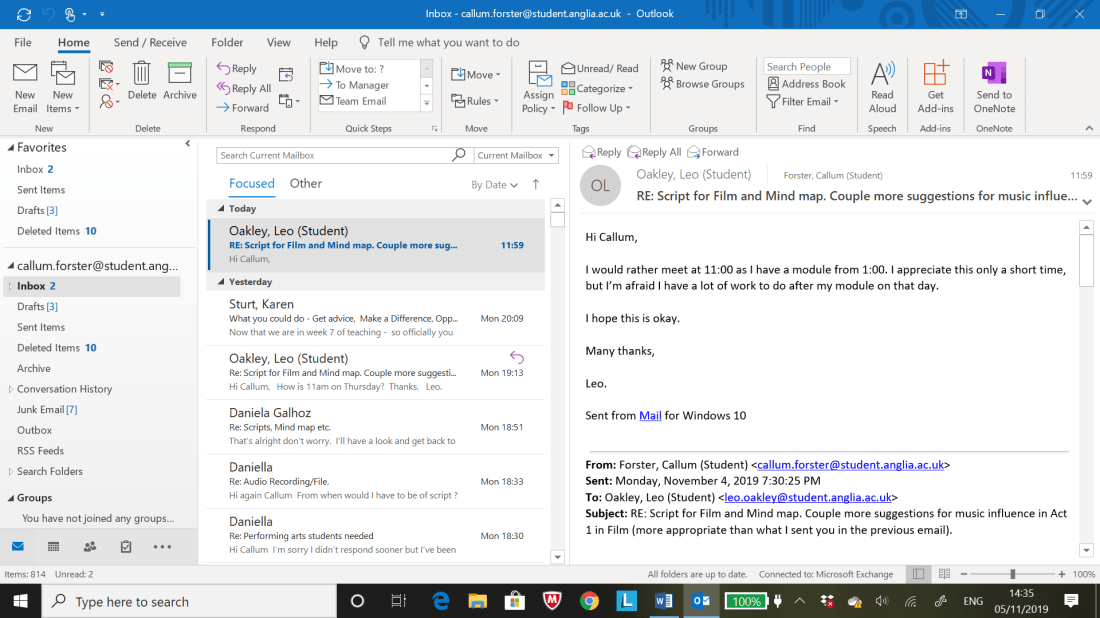
Email Exchange between Myself and Leo Oakley;


Final Exchange to Leo Oakley (He had to drop out of project due to other commitments);


Email Exchange between Myself and Adina (Performer playing Laima in Film);


Email Exchange between Myself and the Media Services;


Interactions between Myself and the Performers (Planning Auditions and Dates of Final Shoots in Week 9);


7


My Emails to Shirley (Final Performer Opposite Adina);


Interactions between Myself and the Camera Crew (Planning Auditions and Dates of Final Shoots in Week 9);

Sketchbook Pages (Week 7 to 8);


Poster for Music Students to participate in Interactive Film ‘Groundless’. This will be placed up around the university in the same areas as the ‘Performers’ Posters from several weeks prior;

Interactive Narratives. Week 4. Music Student Poster (Week 8)

Interactive Narratives. Week 7. Emails with Further Planning and Development. Sketchbook Pages. Second Year. Trimester 1.

Leos First Reply to email I the week prior (Below);

Leo's First Reply (Week 7)


My Response to Leo’s First Reply;

Responce to Leos First Reply


Leo’s Second Reply;

Leos Second Reply


My Response to Leo’s Second Reply;

My Responce to Leo's Reply.


Messages sent to ‘Tilda Borrows’ (Potential Performer for Film) expanding on Concept of film on the ‘Messenger/Facebook’;


Email to Adina asking for Audio Files/Recordings for mock auditions before meet up of performers over the course of this week or the weeks after;

Update to Adina (Week 7)

Update to Daniella (Same details as Adina’s email);

Update to Daniella (Week 7)

Daniella’s First and Second Replies;


My Response to Daniella’s First and Second Replies;

My Responce to Daniella's First and Second Replies (Week 7)


Daniella’s Third Reply;

Daniella' Third Reply (Week 7)


Leo’s Third Reply;

Leos Third Reply.


My Response to Leo’s Third Reply;

My Reply Leo's Third Reply.


Leo’s Fourth Reply;

Leo Fourth Reply


My Response to Leo’s Fourth Reply (Sorting out First meet up);

My Responce to Leo's Fourth Reply


Adina’s First Reply;

Adina's First Reply


Email to Max asking what time is best to meet up;

What time is good time is good to meet up. Max.


Update to Max;

Update to Max.


Max’s First Reply + My Response to Max’s First Reply;


Second Update to Both Adina and Daniella;


Room Number email to Daniella (Forgot to include it in her ‘Update Email’;

Room Number to Daniella


Leo’s Fifth Reply + My Response to Leo’s Fifth Reply;


Daniella’s Final Email (She won’t be able to participate in Film) and my Response to her final email;


Max’s Second Reply and My Response to his Second Reply;


Max’s Third Reply and My Response to his Third Reply;


Leo’s Sixth Reply and my Response to his Sixth Reply;


Leo’s Seventh Reply and my Response to his Seventh Reply;


Leo’s Eighth Reply and my Response to his Eighth reply;

Sketchbook Pages @Notes of Meetup with Leo Oakley’ (Below)


Emails between me and Leo on 08/11/19;


Message Exchange between myself and Max (Scheduling meetup on Monday 11th November 2019);


Third Update Email to Adina;

Update to Adina (Friday 8th)


Message sent to Group Chat to see if anyone can help me out with the equipment for the shoots on location and in studio;


First Reply from Message I sent to Group Chat about potential help with cameras etc for shoots in and outdoors;

Group Chat (First Reply)


‘StarNow Callout’ I created to get more actors after exchange with Max suggesting this due to only one performer signing up for film at the time this was written (09/11/19);


Harvard Reference to StarNow Website Below;

StarNow Limited, 2019. Acting auditions, model jobs, music & extras casting – StarNow [online] Available at: <https://www.starnow.co.uk/&gt; [Accessed 09 November 2019].

Messages to Tilda (08/11/19)


‘Facebook Posts’ and ‘Listings’ I created on the site ‘StarNow’ can be seen below prompting the chance for performers and camera crews to participate in interactive film as suggested by ‘Max Elgar’ (DOP- Cinematographer) earlier in the week;

StarNow Email (Confirming Applicants who show interest in Film);

Email from StarNow (Applicants)

Word Document containing Messages to ‘Jayne’ and ‘Vanessa’ to see if they can attend auditions;

StarNow Messages sent to Jayne and Vanessa (Week 7)


Vanessa’s First Reply and My Response to her first reply;


Sketchbook Page containg equipment needed for shoot, final dates for shoots and other notes written in conversation with ‘Max Elgar’;

12


Email to Leo asking if he had experience as a ‘Sound Recordist’;


Email to Nick Howard (Teaches Klynt Workshops) asking if he can accept me to FTVP Student Group so I can post about film needing Camera Crew and if anyone’s interested. Nick is one of the main Admins for the Facebook page, thus the email. Second Message to Group Chat can also be seen below;